
D_back
1.69.15
Size: 2.33 MB
Downloads: 3671
Platform: Windows All

No matter what type of data a computer user has stored on his hard disk, it's always a good idea to back up all this information. If that data is of big importance, then backing up is compulsory. Because you can never know when disaster strikes and you end up without all your information. The Windows operating system includes a feature for backing up an entire partition, but not for backing up certain files and folders. Besides that, this feature lacks a lot of options and doesn't please the majority of users. There is an alternative to this and that's the software D_back. It's a backup utility that can save all your private information in a safe place, making sure it will always be there when you need it.
D_back installs in matter of seconds and doesn't require much intervention from the user for completing this process. It can run on almost any version of Windows and takes up around 10 MB of hard disk space.
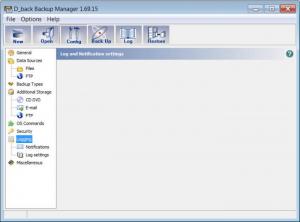
Regarding the program's interface, it's well organized, having a clear list of options in the left section. Clicking on any of these options will bring up a couple of settings. All desired files and folders that need backing up can be simply dragged in a small list. D_back can back up files stored on the hard disk, but also the ones found on FTP servers. Backed up files can be stored on an optical media, can be sent through email or uploaded to a FTP server. The results of a backup can be sent as an email message and can also be saved as a log file.
Pros
Backed up files can be saved on an optical media, email attachment or FTP server. Besides that, the interface is very easy to use and files and folders that need backing up can be simply dragged to the backup window. Furthermore, all the program's settings can be saved as a backup profile.

Cons
The number of features and their complexity are limited. D_back is the ultimate backup utility for quickly and easily copying your important files and folders in a safe place.

D_back
1.69.15
Download
D_back Awards

D_back Editor’s Review Rating
D_back has been reviewed by Jerome Johnston on 08 Feb 2012. Based on the user interface, features and complexity, Findmysoft has rated D_back 4 out of 5 stars, naming it Excellent







